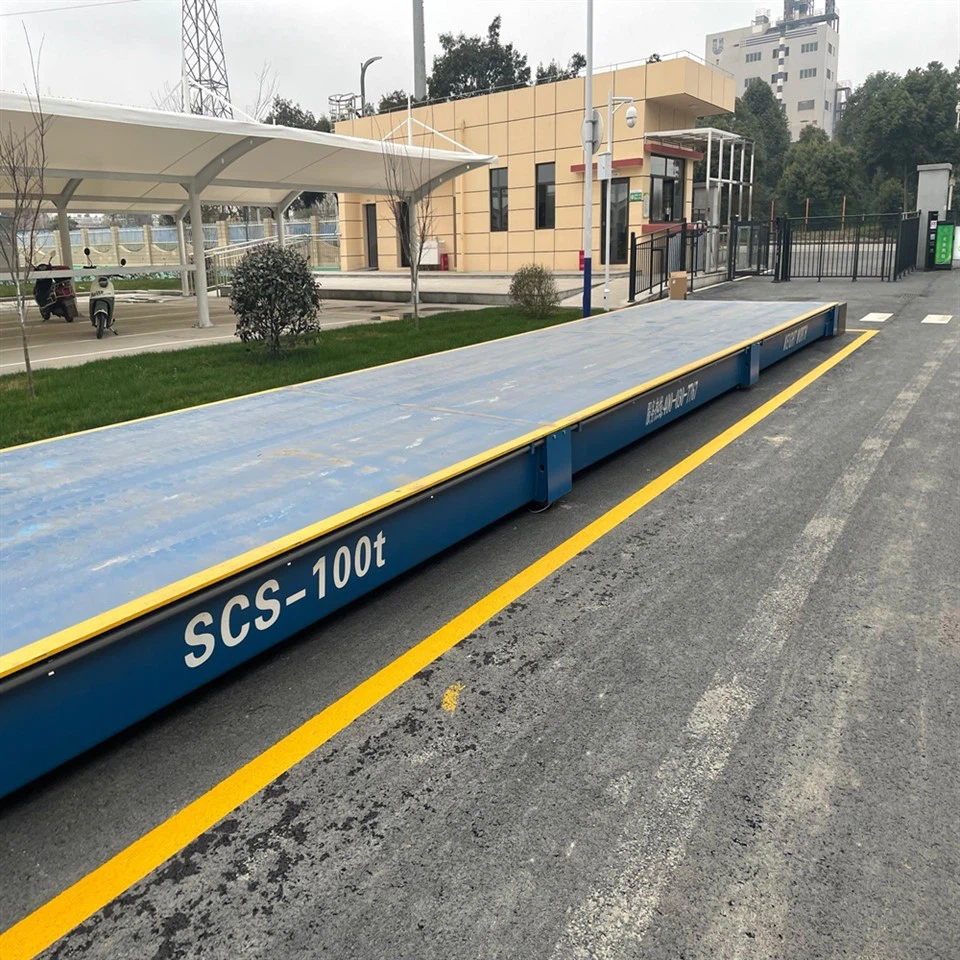
Hey there! I'm a supplier of Unattended Truck Scales, and I know how crucial it is to keep tabs on the weight of trucks passing through your scales. Abnormal weight readings can signal a whole bunch of issues, from overloading and potential safety hazards to fraud. That's why setting up alerts for abnormal weight on unattended truck scales is super important. In this blog, I'll walk you through how to do just that.
Understanding the Basics of Unattended Truck Scales
First off, let's quickly go over what unattended truck scales are. These are scales that can operate without a human operator present all the time. They're equipped with advanced technology to weigh trucks automatically and record the data. You can find different types of unattended truck scales, like Digital Portable Truck Scales and Steel Deck Truck Scales.
Digital Portable Truck Scales are great for temporary or mobile weighing needs. They're easy to set up and move around, which makes them ideal for construction sites or events. On the other hand, Steel Deck Truck Scales are more permanent and can handle heavier loads. They're often used in industrial settings like mines or ports.
Why Set Up Abnormal Weight Alerts?
Now, you might be wondering why you need to set up alerts for abnormal weight. Well, there are several reasons.


Safety First: Overloaded trucks are a major safety risk on the roads. They can cause damage to the vehicle, increase the stopping distance, and put other drivers at risk. By setting up alerts, you can catch overloaded trucks before they hit the road.
Legal Compliance: There are strict regulations regarding truck weights. If a truck is over the legal limit, you could face fines and other penalties. Alerts help you ensure that all trucks passing through your scales are within the legal weight limits.
Preventing Fraud: Sometimes, unscrupulous individuals might try to cheat the system by tampering with the weight readings. Abnormal weight alerts can help you detect these attempts and take appropriate action.
Steps to Set Up Alerts for Abnormal Weight
Step 1: Define What "Abnormal" Means
The first step in setting up alerts is to define what you consider to be an abnormal weight. This will depend on several factors, such as the type of trucks you're weighing, the legal weight limits, and your own internal policies.
For example, if you're weighing standard semi - trucks, the legal weight limit might be around 80,000 pounds in the United States. You could set your alert threshold to trigger if a truck weighs more than, say, 85,000 pounds. Or, if you notice that most of the trucks coming through your scales typically weigh between 40,000 and 60,000 pounds, you might set an alert for any truck that weighs less than 35,000 pounds or more than 65,000 pounds.
Step 2: Choose the Right Monitoring System
Once you've defined your abnormal weight thresholds, you need to choose a monitoring system that can track the weight data and send out alerts. There are several options available, ranging from simple software programs to more advanced IoT (Internet of Things) - based systems.
A basic software program might be enough if you have a small operation with a limited number of trucks. It can connect to your truck scales and monitor the weight readings in real - time. When an abnormal weight is detected, it can send an email or text message alert to the relevant personnel.
For larger operations or those that require more detailed monitoring, an IoT - based system might be a better choice. These systems can collect and analyze a vast amount of data from your scales, including historical weight trends, truck identification, and time of weighing. They can also integrate with other systems, such as your inventory management or accounting software.
Step 3: Configure the Alerts
After choosing the monitoring system, you need to configure the alerts. This involves setting up the specific conditions under which an alert will be triggered and the method of notification.
Conditions for Alerts: You can set up alerts based on different conditions. For example, you can set an alert to trigger if a truck's weight exceeds a certain value, if the weight change between two consecutive weigh - ins is too large, or if a truck weighs significantly different from its average weight over a period of time.
Notification Methods: There are several ways to receive alerts. You can choose to receive email alerts, text message alerts, or even push notifications on your mobile device. Make sure to set up the notification preferences for all the relevant personnel, such as your scale operators, managers, and compliance officers.
Step 4: Test the Alerts
Before fully implementing the alert system, it's important to test it to make sure it's working properly. You can do this by simulating abnormal weight readings on your scales.
For example, if you've set an alert for trucks weighing over 85,000 pounds, you can try entering a test weight of 90,000 pounds into your monitoring system. Check to see if the alert is triggered and if the notification is sent to the right people.
If you encounter any issues during the testing phase, make the necessary adjustments to your alert settings or the monitoring system.
Step 5: Train Your Staff
Even with an automated alert system in place, it's important to train your staff on how to respond to abnormal weight alerts. They should know what actions to take when an alert is received, such as contacting the truck driver, conducting a secondary weight check, or reporting the incident to the appropriate authorities.
Provide your staff with clear guidelines and procedures for handling abnormal weight situations. You can also conduct regular training sessions to keep them updated on the latest regulations and best practices.
Maintaining and Updating Your Alert System
Setting up the alert system is just the first step. You also need to maintain and update it regularly to ensure its effectiveness.
Regular Checks: Perform regular checks on your scales and the monitoring system to make sure they're working properly. Check for any signs of damage or malfunction, and calibrate your scales as needed.
Updating Thresholds: As your business evolves and the regulations change, you may need to update your abnormal weight thresholds. For example, if you start weighing a different type of truck or if the legal weight limits are revised, you'll need to adjust your alert settings accordingly.
Conclusion
Setting up alerts for abnormal weight on unattended truck scales is an essential part of managing a safe and compliant weighing operation. By following the steps outlined in this blog, you can ensure that you're able to detect and respond to abnormal weight situations in a timely manner.
If you're interested in learning more about our Unattended Truck Scales or need help setting up an abnormal weight alert system, don't hesitate to reach out. We're here to provide you with the best solutions for your weighing needs.
References
- Federal Motor Carrier Safety Administration. (n.d.). Regulations on truck weights.
- Industry standards and best practices for truck scale operations.