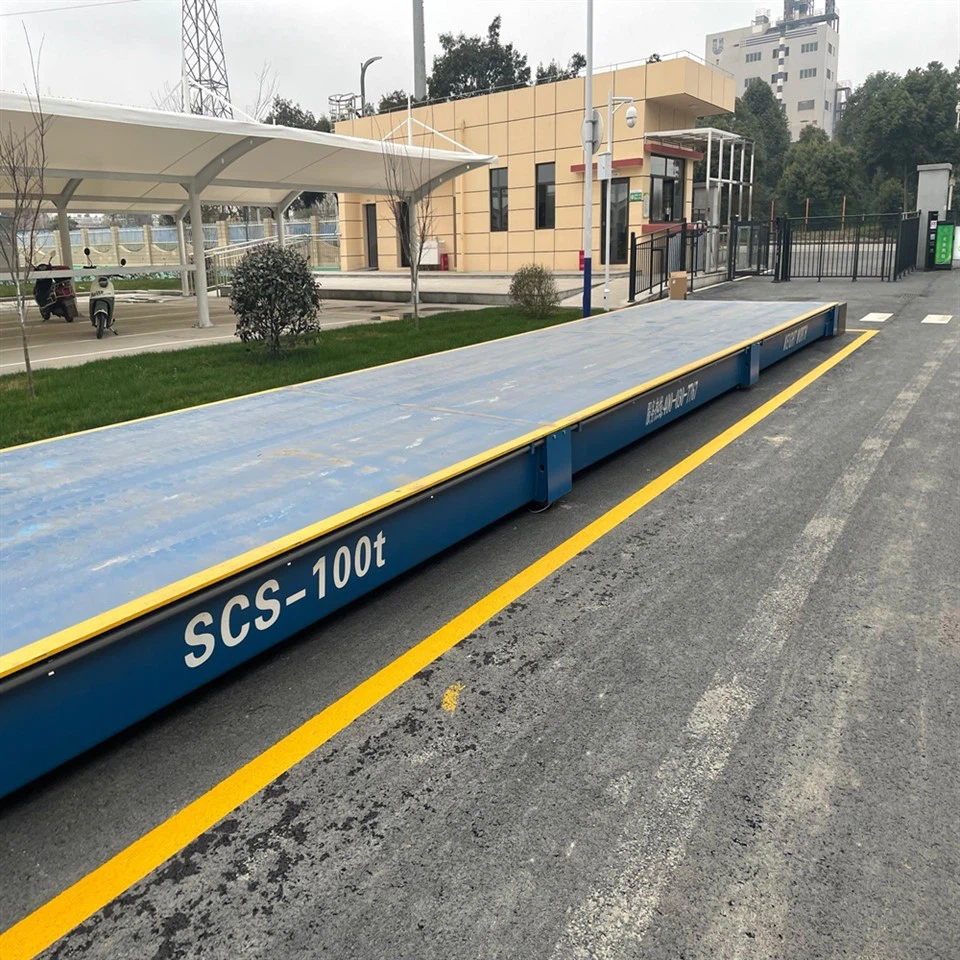
Hey there! As a trusted supplier of Industrial Floor Scales, I often get asked about how to connect multiple industrial floor scales to a single system. It's a common challenge, especially for large - scale operations where efficiency and accurate data collection are super important. In this blog, I'll share some practical steps and tips on how to tackle this issue.
Understanding the Basics
First off, before we jump into the connection process, it's crucial to understand what all this is about. Industrial floor scales are used in various industries, like manufacturing, logistics, and agriculture. They come in different types, such as Low Profile Floor Scales, Floor Scales with Ramps, and Electronic Livestock Scales.
Each type has its own specific features and functions, but the goal of connecting them to a single system is the same: to streamline operations and get a more comprehensive view of the weighing data.
Step 1: Choose the Right Scales
The first step in connecting multiple scales to one system is to make sure you have the right scales in the first place. You need scales that are compatible with the system you plan to use. Most modern industrial floor scales are designed to be integrated into larger systems, but it's still a good idea to double - check.
For example, if you're using a software - based system, look for scales that support the necessary communication protocols. Some common ones include Modbus, Profibus, and Ethernet. If you're not sure which protocol your system uses, you can consult the system's manual or the manufacturer. And of course, make sure the scales are accurate and reliable, because no matter how well - connected they are, inaccurate data is no good.
Step 2: Check the Power Requirements
Another important thing to consider is the power requirements of your scales. All scales need power to operate, and when you're connecting multiple scales to one system, you need to make sure the power supply can handle the load.
Some scales can be powered by a standard electrical outlet, while others may require a more specialized power source, like a DC power supply. You might also need to consider power strips or uninterruptible power supplies (UPS) to ensure continuous operation in case of a power outage. Make a list of the power requirements for each scale and calculate the total power needed. This will help you determine if your current power setup is sufficient or if you need to make some changes.
Step 3: Select a Centralized Controller
A centralized controller is the heart of the system when you're connecting multiple industrial floor scales. It's the device that will collect data from all the scales and process it. There are different types of controllers available, from simple ones that just collect and display data to more advanced ones that can perform complex calculations and integrate with other business systems.


When choosing a controller, think about the number of scales you plan to connect. Some controllers can handle a limited number of scales, while others can manage dozens or even hundreds. You also need to consider the features you need, like data storage, reporting, and compatibility with your existing software.
Step 4: Wiring and Connection
Once you have the right scales, power supply, and controller, it's time to start wiring and connecting everything. This is where things can get a bit technical, but with a little patience, it's definitely doable.
First, read the installation manuals for both the scales and the controller. These manuals will provide detailed instructions on how to connect the scales to the controller. In most cases, you'll use cables to connect the scales to the controller. Make sure the cables are the right length and type for your setup.
It's also important to label the cables and connections clearly. This will make it easier to troubleshoot if something goes wrong later on. And don't forget to follow all safety precautions when working with electrical components.
Step 5: Configure the System
After the physical connections are made, you need to configure the system. This involves setting up the communication protocol between the scales and the controller, as well as programming the controller to recognize each scale.
Most controllers come with user - friendly software that allows you to configure the system easily. You'll need to enter information like the scale ID, calibration factors, and data transfer settings. Make sure to double - check all the settings to ensure accurate data collection.
Step 6: Test the System
Once the configuration is done, it's time to test the system. Start by weighing a known object on each scale and comparing the results. This will help you verify that the scales are working accurately and that the data is being transferred correctly to the controller.
You should also test the system under different conditions, like different load levels and environmental factors. This will give you a better idea of how the system performs in real - world situations. If you encounter any issues during the testing phase, refer back to the installation manuals or contact the manufacturer for support.
Step 7: Maintenance and Monitoring
After the system is up and running, it's important to maintain and monitor it regularly. This includes checking the cables and connections for any signs of wear or damage, as well as calibrating the scales periodically to ensure accurate measurements.
You should also monitor the data being collected by the system. Look for any anomalies or trends that could indicate a problem with the scales or the system. Regular maintenance and monitoring will help you avoid costly downtime and ensure the long - term reliability of your system.
Why Choose Our Scales for Your Multi - Scale System?
As an Industrial Floor Scales supplier, we take pride in offering high - quality, reliable scales that are designed to be easily integrated into larger systems. Our scales are available in a wide range of types and configurations, so you can find the perfect ones for your needs. Whether you need Low Profile Floor Scales for a tight - space operation or Floor Scales with Ramps for easy loading, we've got you covered.
And if you're new to connecting multiple scales to one system, our team of experts is here to help. We can provide you with detailed installation guides, offer technical support, and even help you troubleshoot any issues you might encounter.
Contact Us for a Purchase and Consultation
If you're interested in setting up a system that connects multiple industrial floor scales, we'd love to hear from you. Whether you have questions about the process, need help choosing the right scales, or are ready to make a purchase, we're here to assist. Feel free to reach out to start a conversation about your specific requirements. We're committed to providing you with the best solutions for your industrial weighing needs.
References
- "Industrial Weighing Systems: Principles and Applications" by John Doe
- Manufacturer manuals of industrial floor scales and controllers