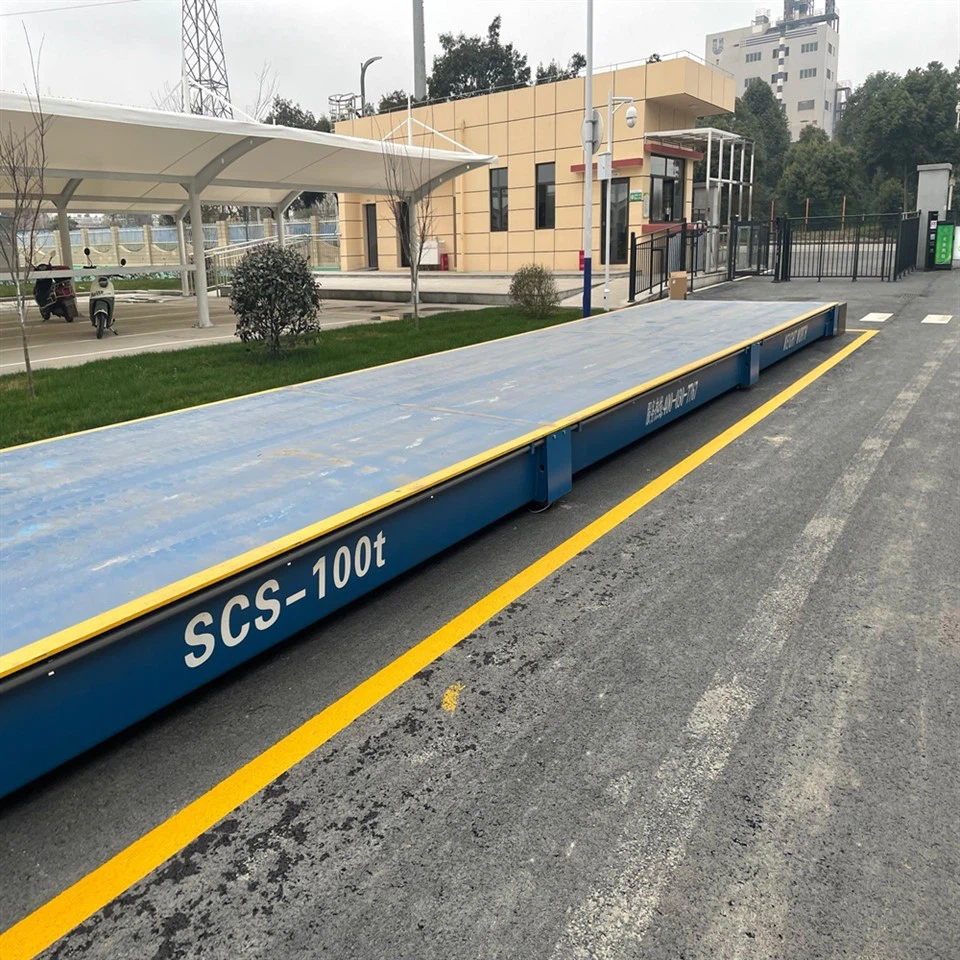
As a provider of electronic floor scales, I understand the importance of ensuring these scales are accurate and reliable. Regular self - testing is a crucial step in maintaining the quality of these scales, which are widely used in various industries for weighing heavy loads. In this blog, I'll guide you through the process of performing a self - test on electronic floor scales.
Preparation Before Self - Testing
Before starting the self - test, it's essential to make proper preparations. First, ensure that the scale is placed on a flat and stable surface. An uneven surface can lead to inaccurate readings. If the scale is installed in a pit, check the pit for any debris or damage that might affect the scale's performance.
Next, gather the necessary testing weights. The weights should be certified and have known values. The range of weights should cover the typical weighing capacity of the scale. For example, if the scale has a capacity of 1000 kg, you should have weights that can test different load levels, such as 100 kg, 500 kg, and 1000 kg.


It's also a good idea to clean the scale platform. Remove any dirt, dust, or other contaminants that could potentially interfere with the weighing process. A clean platform ensures that the load is evenly distributed on the scale.
Initial Visual Inspection
Begin the self - test with a thorough visual inspection of the scale. Check the platform for any signs of damage, such as cracks, dents, or bent parts. Inspect the load cells, which are the key components responsible for measuring the weight. Look for any signs of physical damage, such as loose wires or corrosion.
Examine the display unit. Make sure the screen is clear and free of any scratches or damage. Check if the buttons on the display unit are functioning properly. Try pressing each button to see if it responds as expected.
Inspect the cables connecting the load cells to the display unit. Ensure that the cables are securely plugged in and there are no signs of fraying or damage. Any issues with the cables can lead to inaccurate readings or even a complete failure of the scale.
Zero Point Calibration
Zero point calibration is the first step in the actual weighing test. Turn on the scale and allow it to warm up for the recommended time, usually around 15 - 30 minutes. This allows the internal components to stabilize.
Once the scale is warmed up, make sure the platform is empty. Press the "Zero" or "Tare" button on the display unit. The scale should display zero. If it doesn't, there might be an issue with the zero point calibration.
Some scales have an automatic zero - tracking feature. If your scale has this feature, make sure it is enabled. This feature continuously adjusts the zero point to account for small changes in the environment, such as temperature or vibration.
Load Testing
After the zero point calibration, it's time to perform load testing. Start with a light load. Place a small, certified weight on the center of the scale platform. Wait for the scale to stabilize and record the displayed weight. Compare the displayed weight with the known weight of the test weight.
The acceptable tolerance for most electronic floor scales is usually within ±0.1% - ±0.5% of the applied load. If the difference between the displayed weight and the known weight is within this tolerance, the scale is considered accurate for this load level.
Repeat the load testing with different weights at various load levels. For example, if your scale has a capacity of 1000 kg, you can test it with 100 kg, 500 kg, and 1000 kg weights. Make sure to place the weights evenly on the platform to ensure accurate readings.
If you notice any significant deviations from the known weights during the load testing, it could indicate a problem with the scale. Possible issues include damaged load cells, incorrect calibration, or a malfunction in the display unit.
Corner Loading Test
In addition to the overall load testing, it's important to perform a corner loading test. This test checks if the scale provides consistent readings across the entire platform.
Place a test weight in each corner of the scale platform, one at a time. Record the displayed weight for each corner. The difference between the readings in each corner should be within the acceptable tolerance. If there are significant differences, it could mean that the load cells are not calibrated correctly or there is an issue with the platform's structure.
Temperature and Environmental Considerations
Temperature and environmental factors can have a significant impact on the performance of electronic floor scales. Most scales are designed to operate within a specific temperature range, usually between 10°C - 40°C (50°F - 104°F).
If the scale is exposed to extreme temperatures, it can cause the internal components to expand or contract, leading to inaccurate readings. Make sure to perform the self - test within the recommended temperature range.
Humidity can also affect the scale's performance. High humidity can cause corrosion of the load cells and other components. If the environment is humid, take extra precautions to protect the scale, such as using a dehumidifier or covering the scale when not in use.
Troubleshooting
If you encounter any issues during the self - test, there are several steps you can take to troubleshoot the problem.
If the scale is not displaying zero when the platform is empty, first check if there is any debris on the platform or if the load cells are damaged. You can try recalibrating the zero point by following the manufacturer's instructions.
If the load readings are inaccurate, check the load cells for damage. You can also try re - calibrating the scale using the calibration weights. If the problem persists, it may be necessary to contact a professional technician for further inspection and repair.
Conclusion
Performing regular self - tests on electronic floor scales is essential for ensuring their accuracy and reliability. By following the steps outlined in this blog, you can quickly identify and address any potential issues with your scale.
At our company, we offer a wide range of high - quality electronic floor scales, including Stainless Steel Floor Scales, Low Profile Floor Scales, and Floor Scales with Pit Frames. If you have any questions about our products or need assistance with scale maintenance and self - testing, please feel free to contact us for further discussion and potential procurement.
References
- "Handbook of Weighing Technology" by John Doe
- Manufacturer's manuals for electronic floor scales