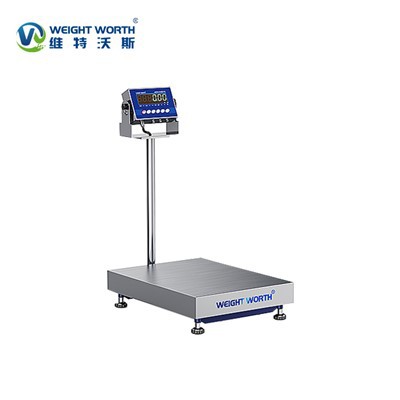

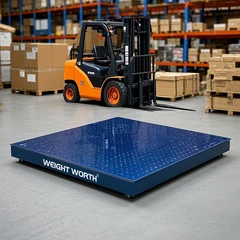
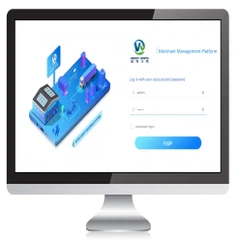
As a supplier of Movable Bench Scales, I understand the importance of keeping your equipment up - to - date. Firmware updates are a crucial aspect of maintaining the performance, accuracy, and security of your movable bench scales. In this blog, I'll guide you through the process of updating the firmware of movable bench scales, if applicable.

Why Firmware Updates Matter
Before delving into the update process, it's essential to understand why firmware updates are necessary. Firmware is the software that runs on your bench scales. It controls various functions such as weighing accuracy, display settings, and connectivity options.
- Improved Performance: Manufacturers often release firmware updates to optimize the performance of the scales. These updates can enhance the speed of weighing, reduce measurement errors, and improve overall efficiency.
- Enhanced Security: With the increasing threat of cyber - attacks, firmware updates can patch security vulnerabilities. This ensures that your weighing data remains secure and protected from unauthorized access.
- New Features: Updates may introduce new features to your bench scales. For example, you might get access to advanced weighing modes, improved connectivity options like Bluetooth or Wi - Fi, or integration with other software systems.
Checking for Firmware Updates
The first step in updating the firmware of your movable bench scales is to check if an update is available.
- Manufacturer's Website: Visit the official website of the scale manufacturer. Most manufacturers provide a dedicated section for product support, where you can find firmware updates for your specific model. Look for the model number of your movable bench scale, which is usually printed on the scale itself or in the user manual.
- User Manual: Refer to the user manual that came with your bench scales. It may contain instructions on how to check for firmware updates or provide a link to the manufacturer's support page.
- Automatic Update Notifications: Some modern bench scales are equipped with the ability to receive automatic update notifications. Check the settings on your scale to see if this feature is enabled. If so, the scale will alert you when a new firmware version is available.
Preparing for the Firmware Update
Once you've confirmed that a firmware update is available, it's important to prepare your bench scales and the surrounding environment for the update process.
- Backup Your Data: Although firmware updates usually don't delete your weighing data, it's always a good practice to back up any important information. This can include saved weighing records, calibration data, or custom settings.
- Power Supply: Ensure that your bench scales are connected to a stable power source during the update process. A sudden power outage can cause the update to fail and potentially damage the scale's firmware.
- Clean and Stable Environment: Place the bench scales on a clean, stable surface. Remove any objects that may interfere with the scale's operation during the update. Make sure the area is free from dust, moisture, and electromagnetic interference.
Updating the Firmware
The actual process of updating the firmware can vary depending on the model of your movable bench scales. Here are some common methods:
- USB Update: Many bench scales support firmware updates via a USB connection.
- Download the firmware update file from the manufacturer's website to your computer.
- Connect the bench scales to your computer using a USB cable.
- Follow the instructions provided by the manufacturer to transfer the firmware update file to the scale. This may involve running a specific software application or using the scale's built - in menu system.
- SD Card Update: Some scales allow you to update the firmware using an SD card.
- Format an SD card to the appropriate file system (usually FAT32).
- Download the firmware update file and copy it to the root directory of the SD card.
- Insert the SD card into the designated slot on the bench scales.
- Navigate to the firmware update option in the scale's menu and follow the on - screen instructions to start the update process.
- Over - the - Air (OTA) Update: If your bench scales support Wi - Fi or Bluetooth connectivity, you may be able to perform an over - the - air firmware update.
- Connect the bench scales to a stable Wi - Fi network or pair it with your mobile device via Bluetooth.
- Check for available updates through the scale's mobile app or the built - in menu system.
- If an update is found, follow the prompts to download and install it.
Post - Update Checks
After the firmware update is complete, it's important to perform some checks to ensure that the scales are functioning correctly.
- Calibration: Check the calibration of the bench scales. You may need to recalibrate the scales after a firmware update to ensure accurate weighing results. Refer to the user manual for instructions on how to calibrate your specific model.
- Functionality Test: Test all the functions of the bench scales, including weighing different objects, using various weighing modes, and checking the display settings. Make sure that all the new features introduced in the firmware update are working as expected.
- Connectivity Test: If the firmware update includes new connectivity options, test the connection to other devices or software systems. For example, if the scale now supports Bluetooth, pair it with a compatible mobile device and check if the data transfer is working correctly.
Additional Considerations
- Compatibility: Before updating the firmware, make sure that the new version is compatible with your bench scales. Using an incompatible firmware version can cause the scale to malfunction or even become inoperable.
- Professional Assistance: If you're unsure about any step of the firmware update process, don't hesitate to contact the manufacturer's customer support. They can provide you with detailed instructions or even perform the update for you.
Our Movable Bench Scales
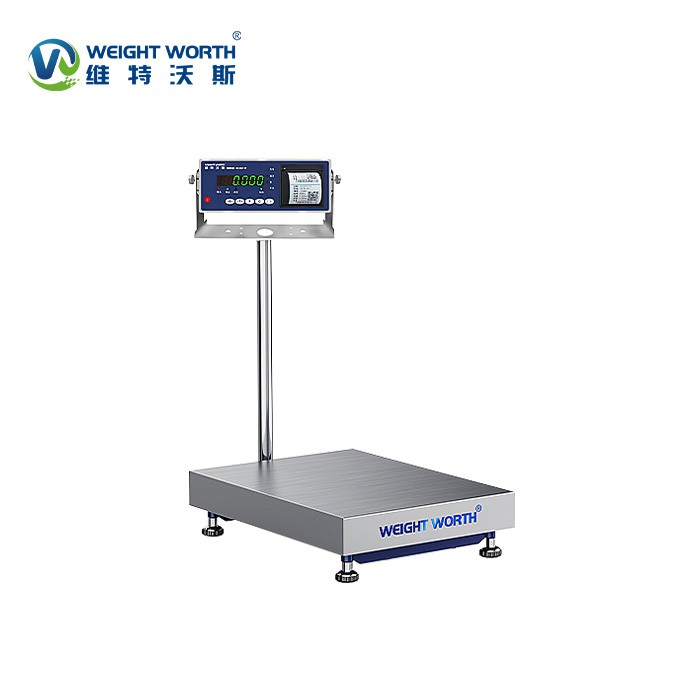
At our company, we offer a wide range of high - quality Movable Bench Scales. Our scales are designed to be reliable, accurate, and easy to use. In addition to movable bench scales, we also have Label Printing Bench Scales for businesses that require label printing functionality, and Carbon Steel Bench Scales known for their durability.
If you're interested in purchasing our movable bench scales or need more information about firmware updates, we encourage you to get in touch with us. Our team of experts is ready to assist you with your procurement needs and provide you with all the necessary support.
Conclusion
Updating the firmware of your movable bench scales is a relatively straightforward process that can bring significant benefits to your weighing operations. By following the steps outlined in this blog, you can ensure that your scales are always up - to - date, providing accurate and reliable weighing results. If you have any questions or need further assistance, feel free to contact us. We're here to help you make the most of your weighing equipment.
References
- Manufacturer's user manuals for movable bench scales
- Technical documentation provided by scale manufacturers on their official websites
- Industry best practices for firmware updates in electronic weighing equipment